Client in Latvia e.g. a company in Riga
- On the invoice
- Details from the registers and VAT — automatic
- In the VAT return
- Automatic
For B2B service companies
Clients in Latvia, the EU or anywhere else? You don't need to know VAT rates or return rows. Vadi puts the right VAT on the invoice, prepares the VAT return and tells you what to do next — from €9/month + VAT.
7 days free · no card · from €9/mo + VAT
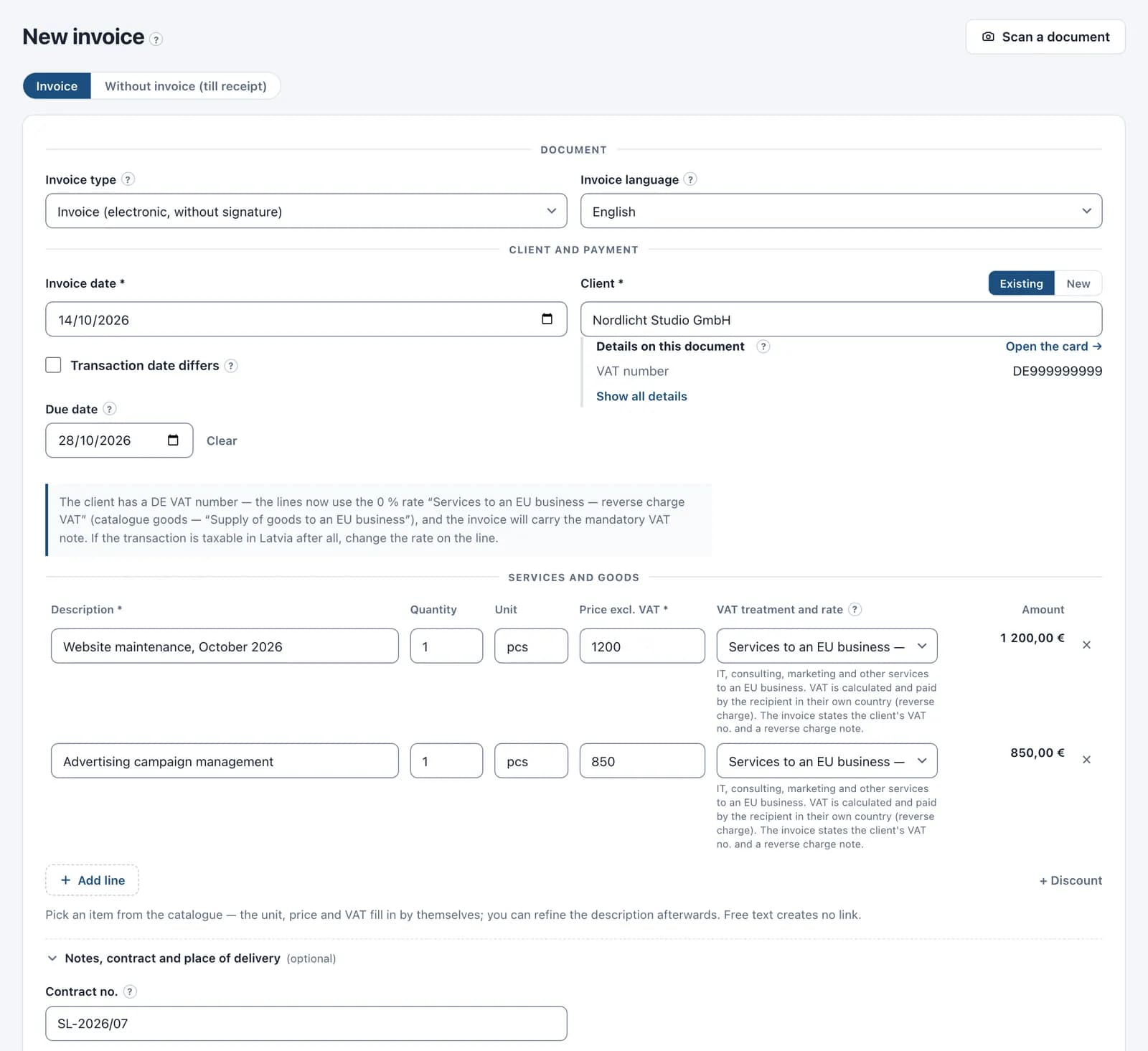
For a Latvian company the name or registration number is enough — the details fill in by themselves. For a foreign client add the country and a number.
Pick the client and write what it's for. Vadi sets the VAT rate, the note and the payment term — in Latvian or English.
The VAT return, the e-invoice and the reconciliation statement come from your invoices. The calendar reminds you when to pay and how much.
Invoicing a foreign client takes as long as invoicing one in Latvia. Vadi takes care of the VAT.
You pick the client — Vadi knows which VAT applies.
What the client card needs: for an EU client — their VAT number, for a client outside the EU — the country and company number (without a number the form offers the rate in one click). Invoice amounts are in euros.
Pick the client, and Vadi sets the right VAT rate and explains why. The payment term comes from the client card, and switching to English takes one click.
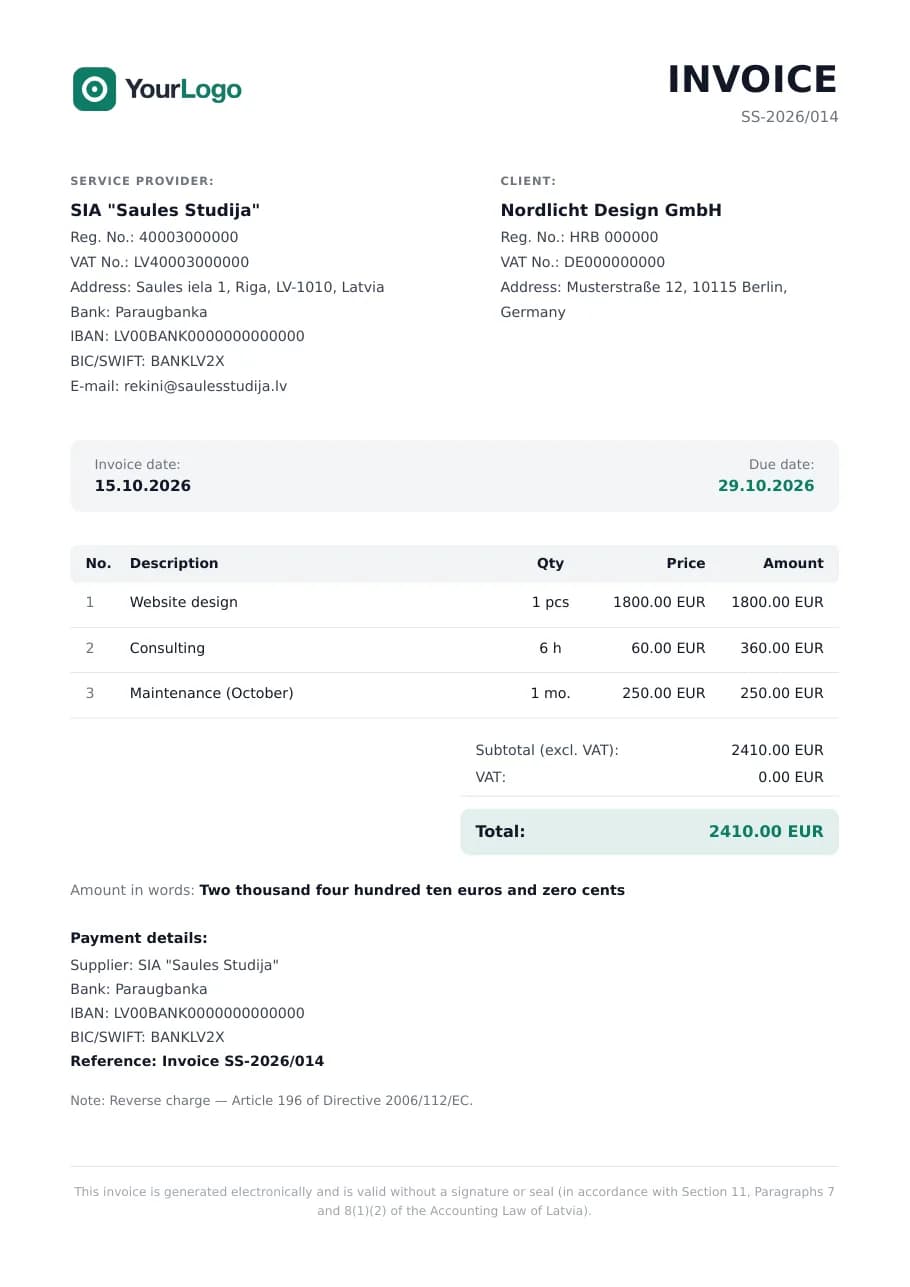
Pick one of five invoice themes and your brand color — in the settings, in one click. Try it here: this is a real Vadi invoice, only your logo will replace «YourLogo».
The client card shows how much they owe and which invoice is overdue. A reconciliation statement PDF takes one click.
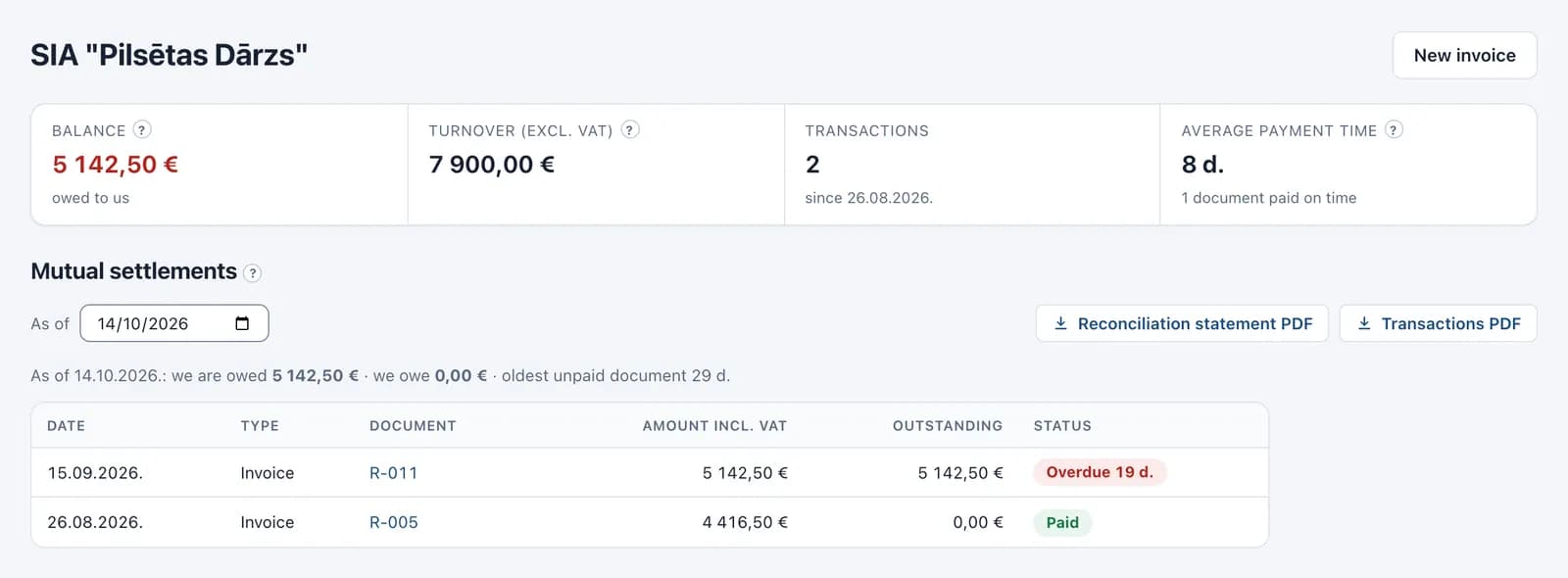
The screens come from a demo company — all names, numbers and amounts are made up.
You enter invoices and expenses — the documents appear by themselves.
With all its appendices, built from your invoices and expenses. The CIT return and the annual report too — ready to file in EDS.
Every invoice has a ready e-invoice XML file — download it and send it to the client. Budget institutions already require it.
With any client on any date — a PDF with signature lines in one click.
Upload a bank statement — payments match invoices, and you only confirm the unclear ones.
The calendar shows every tax deadline and amount, and the system tells you what to do next.
Invite your accountant — they work in the same system, and their access costs nothing.
Prices exclude VAT — 21 % VAT is added at payment. Change plans at any time.
€9/month + VAT
Included
€17/month + VAT
Everything in Pamats, plus
€35/month + VAT
Everything in Pro, plus
Enter an amount — the calculator shows the tax and what reaches the owner. No sign-up.
Open the calculatorEnter the client's EU VAT number on the client card. Vadi sets the 0 % rate and the reverse-charge note on the invoice, and the sale goes into the VAT return. Without a VAT number such an invoice can't be issued — so you can't get it wrong.
On the client card enter the country and the company's registration or tax number. For services Vadi sets the rate without Latvian VAT and the note on the invoice; without a number the form offers it in one click. This fits when the client is a business — the form reminds you of the exceptions.
No, amounts in Vadi are always in euros — that's how they go into the books and the VAT return. You can issue the invoice to a foreign client in English.
Yes. Every issued invoice has a ready e-invoice XML file — download it and send it to the client. Vadi itself doesn't deliver e-invoices yet. Budget institutions already require e-invoices; between companies they become mandatory in 2028.
Overdue invoices are flagged in the list, the client card shows their balance, and a reconciliation statement PDF takes one click. Reminders aren't sent to clients automatically, but a reminder email takes one click to prepare.
From €9/month (+ VAT). Invoices, the VAT return, e-invoices and reconciliation statements are already in Pamats; accountant access and bank import start with Pro. The first 7 days are free, no card needed.
Vadi isn't only for B2B companies. The same system works for the self-employed and any company in Latvia.
Start today
Sign up, add your first client and issue an invoice — Vadi prepares the rest.
Start free7 days free